

Crafting Your First Spell
If you are new to Grimoire, this guide walks through a simple example: the 60/40 portfolio. By the end, you will have created and backtested your first spell.
Note: This guide is for informational purposes only. It is not financial advice or a recommendation to buy or sell any security. Always do your own research before making investment decisions.
- Start by naming your spell:
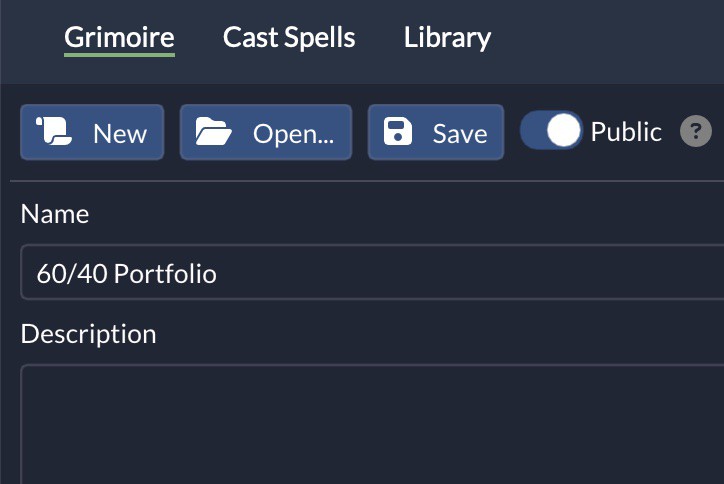
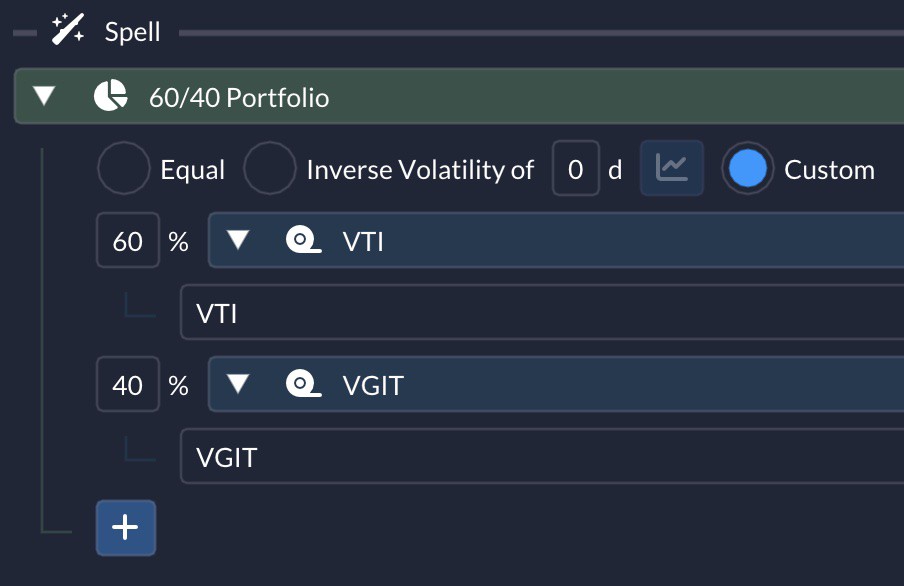
- The 60/40 portfolio targets 60% stocks for growth and 40% bonds for stability. To build it, add a
Weightedincantation by clicking the+icon.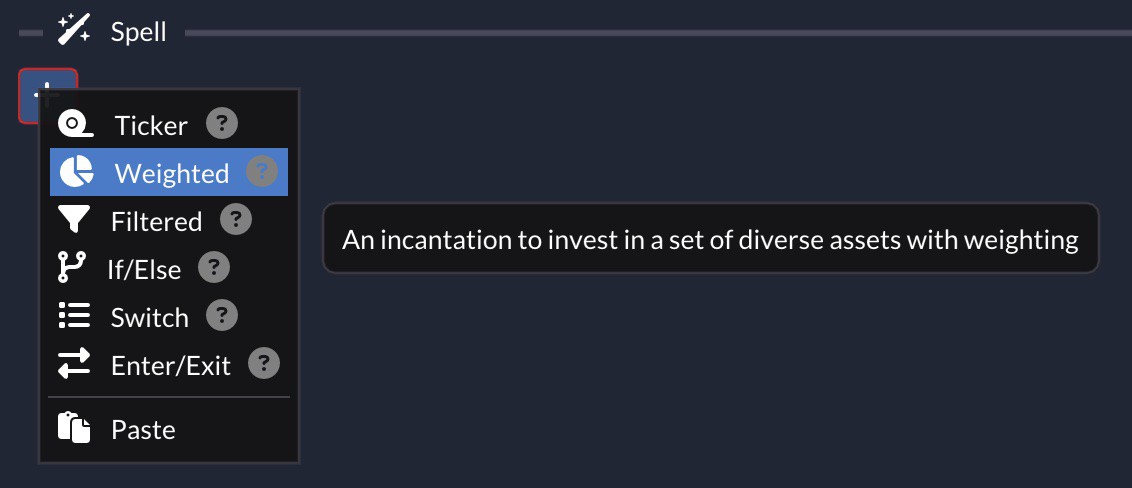
- For stocks, use VTI (Vanguard Total Stock Market ETF). For bonds, use VGIT (Vanguard Intermediate-Term Treasury ETF). Add these two
Tickers under theWeightedincantation.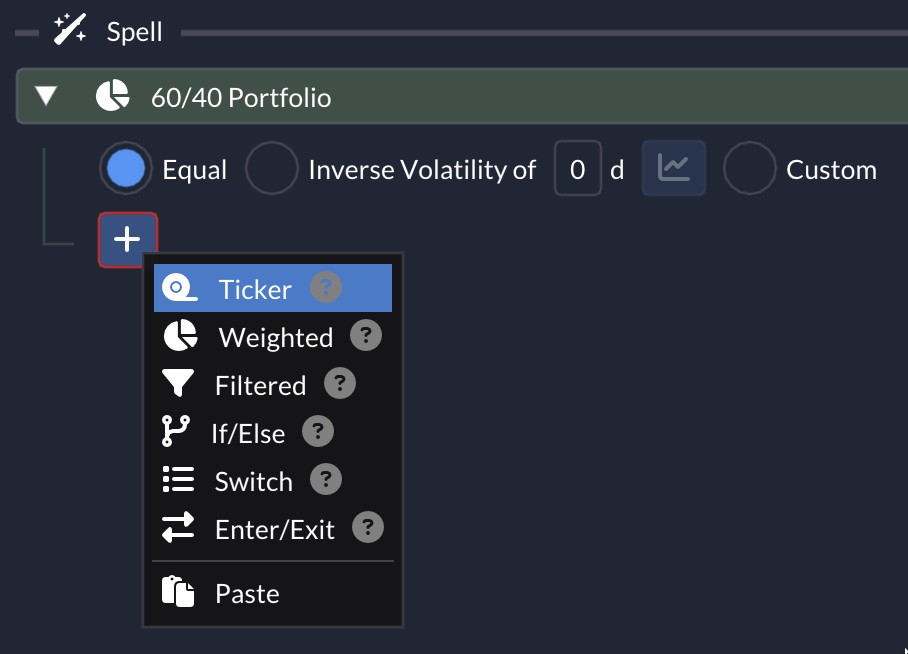 Tip: Start typing the ticker symbol and the auto-complete menu will help you find it.
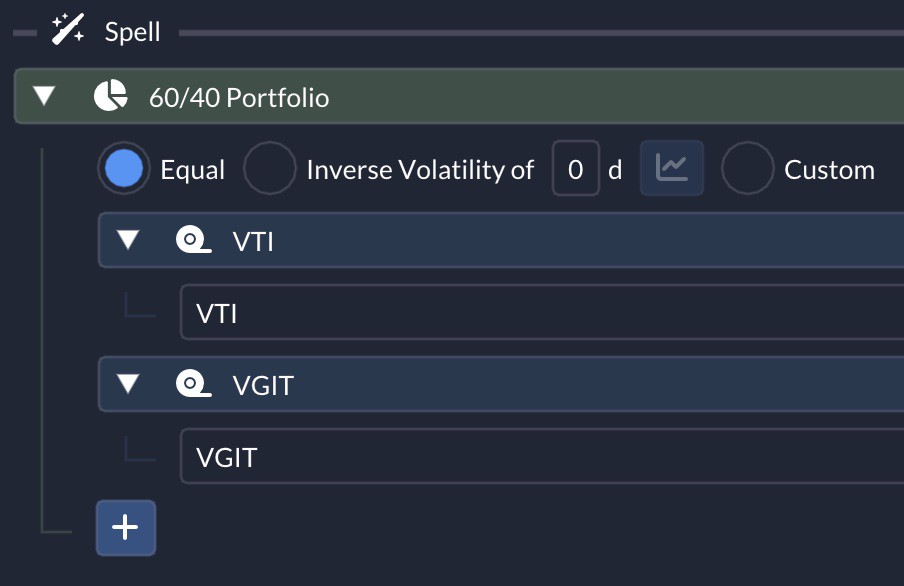
- Switch the weighting method from
EqualtoCustom. - Enter 60% for VTI and 40% for VGIT. Make sure the total adds up to 100%.
- Set
When To TradetoYearly. This portfolio does not require frequent rebalancing.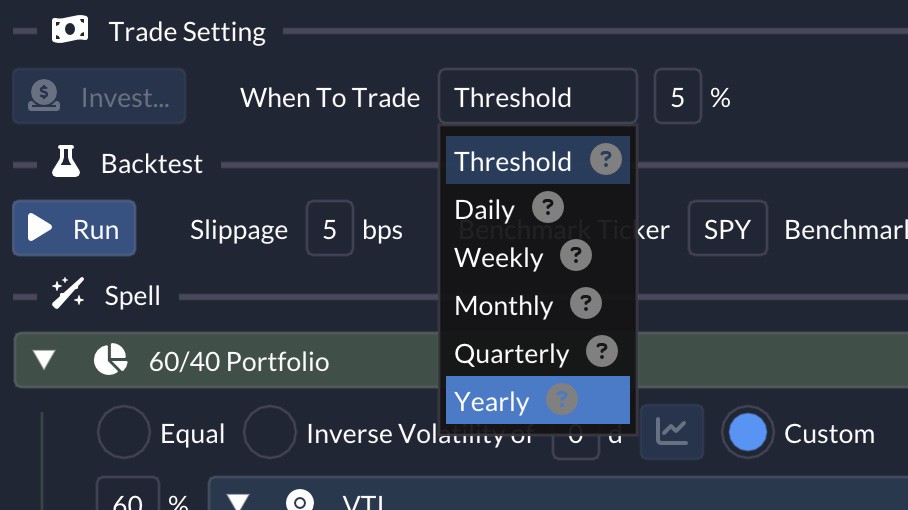
- Click
Saveat the top.
- The
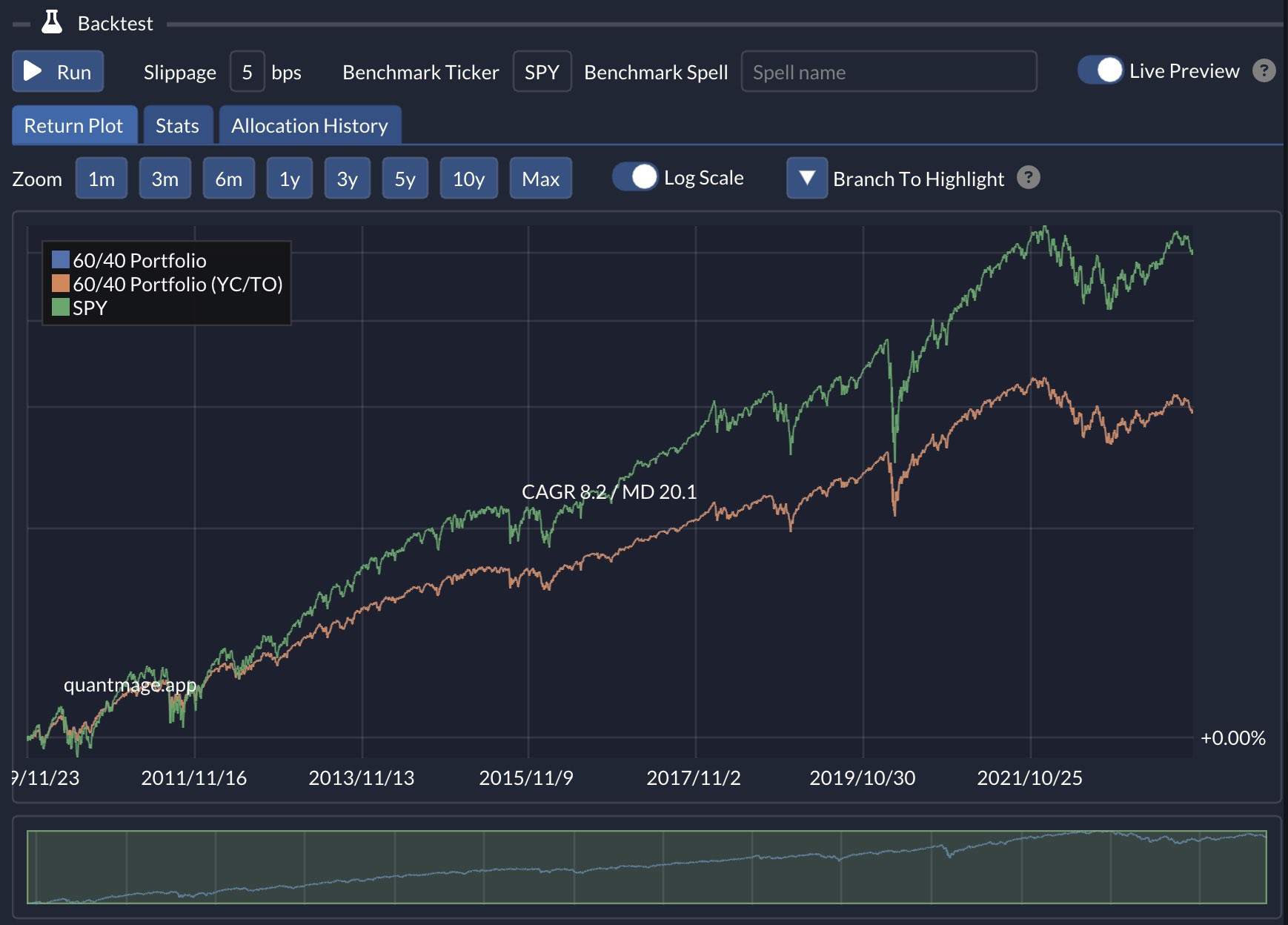
BacktestRunbutton is now enabled. Click it. - QuantMage will display a chart showing the spell’s performance over time. You can also compare it with the default benchmark ticker, SPY.
- Open the
Statstab to review the performance metrics: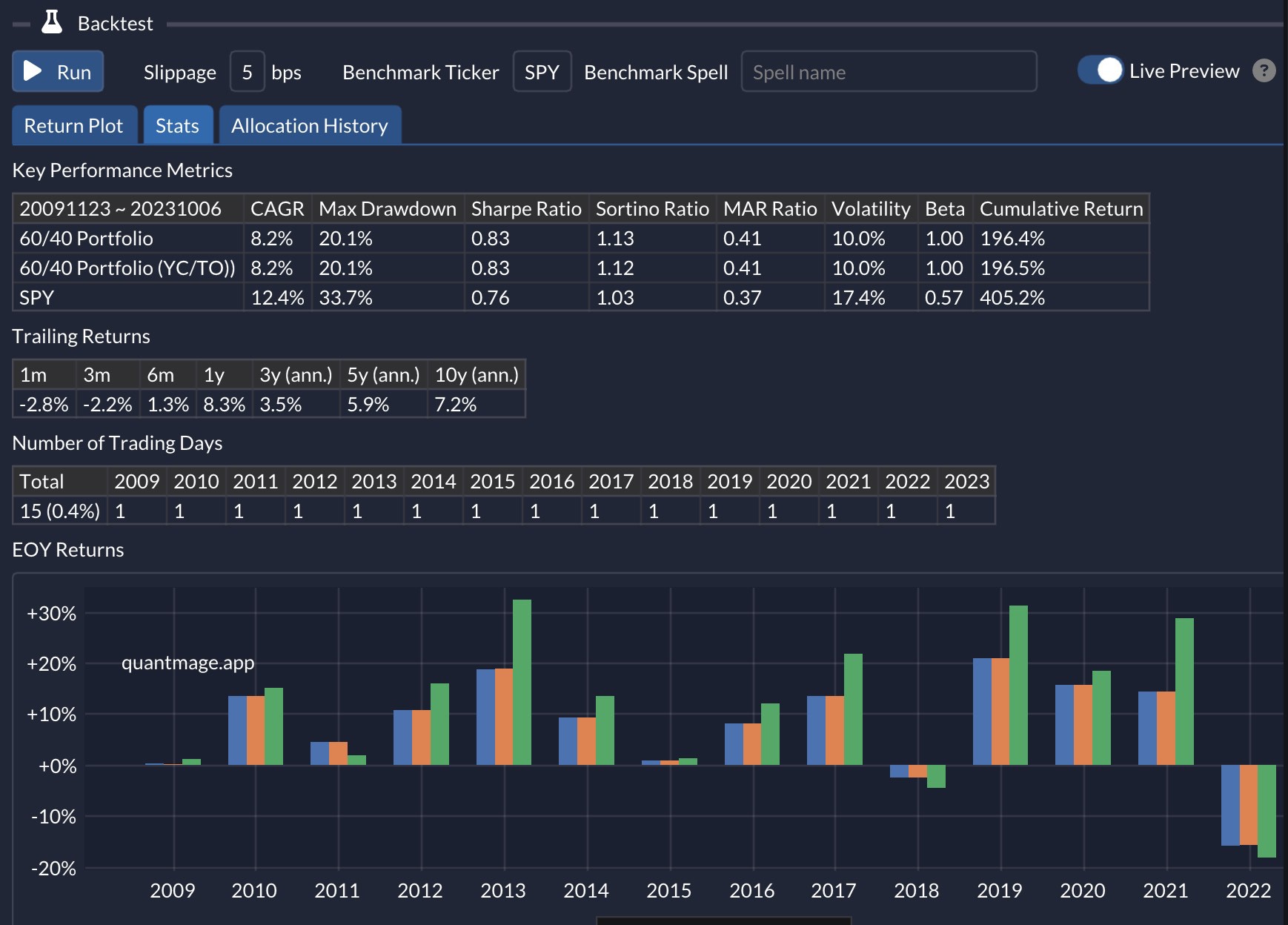 You may find that it has a lower annual return than SPY, but also a lower drawdown. That smoother return profile can lead to stronger Sharpe, Sortino, and MAR ratios.
 - The
Allocation Historytab shows the daily allocations: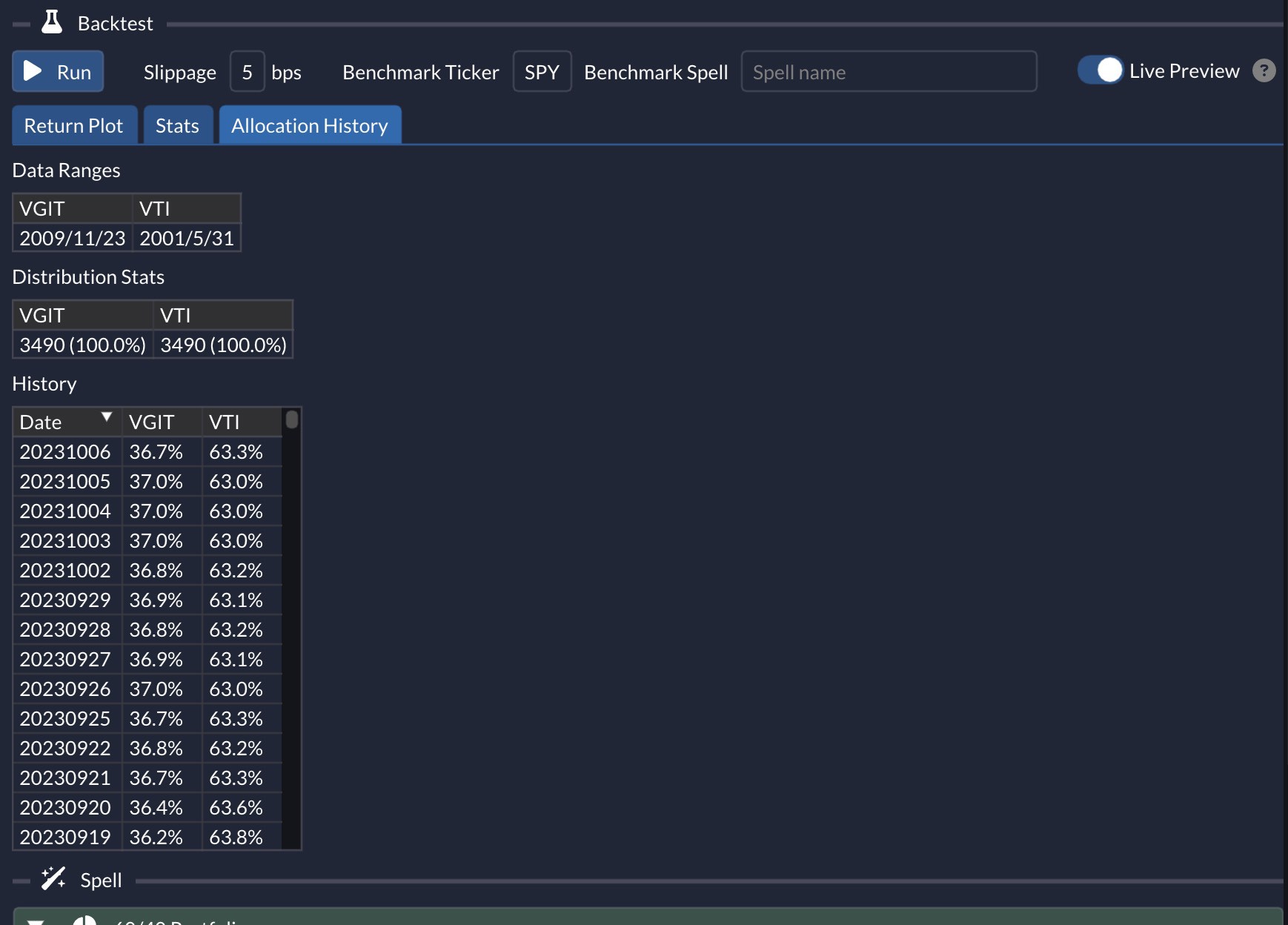
- That is your first QuantMage spell. You can compare it with the finished version here. You can also explore the tools in the top bar on your own.
If you prefer a hands-on walkthrough, try the interactive version of this tutorial. It covers the same flow directly inside Grimoire.
You now have a working baseline that you can modify and experiment with further.